





By the Amazon Picks Desk, Canada News Media. We research products from real Amazon.ca listings and customer reviews; we have not tested them ourselves.
Disclosure: As an Amazon Associate, we may earn a commission from qualifying purchases made through this link.
The best Chromebook for most Canadian students is a 14-inch model with a Full HD IPS screen, at least 4GB of memory and 64GB of storage, which on Amazon.ca runs from about $446 to $499. Buyers who keep many tabs open should step up to a Chromebook Plus with 8GB of memory, priced at $599.99 and up. Prices below were checked on Nov. 4, 2026.

Quick picks
| Chromebook | Price on Amazon.ca | Screen | Memory and storage |
|---|---|---|---|
| Gateway 14-inch | $445.75 | 14-inch FHD (TN) | 4GB / 64GB |
| ASUS CZ11 | $449.00 | 11.6-inch HD | 4GB / 64GB |
| ASUS CX14 | $499.00 | 14-inch FHD IPS | 4GB / 64GB |
| Acer Chromebook Plus | $599.99 | 14-inch WUXGA touch | 8GB / 128GB |
| ASUS Chromebook Plus CX14 | $649.00 | 14-inch FHD touch | 8GB / 256GB |
Prices are accurate as of Nov. 4, 2026, and may change. A $1.50 eco fee may apply to some of these models at checkout.
Gateway (by Acer) 14-inch Chromebook with Intel Celeron N4500

Price: $445.75 on Amazon.ca as of Nov. 4, 2026. Customer rating: 4.2 stars from 394 ratings, with more than 500 bought in the past month, according to the listing.
The Gateway is the most reviewed Chromebook in this guide and the cheapest of the 14-inch models. It pairs a 14-inch Full HD (1920 x 1080) display with an Intel Celeron N4500 processor, 4GB of memory and 64GB of eMMC storage. Acer lists Wi-Fi 5, Bluetooth 5.0, a USB-C port that handles display output and charging, a USB-A port and a microSD card reader. The screen is described as a TN panel, which usually means narrower viewing angles than the IPS panels on the other models, so it is worth checking the image from an angle before keeping it.
Who it is for: students and households who want a full-size screen and keyboard at the lowest price. Who should skip it: anyone doing video editing, heavy multitasking or work in bright rooms, where an IPS display and more memory help.
See the current price on Amazon.ca
ASUS Chromebook 11.6-inch with MediaTek Kompanio 520
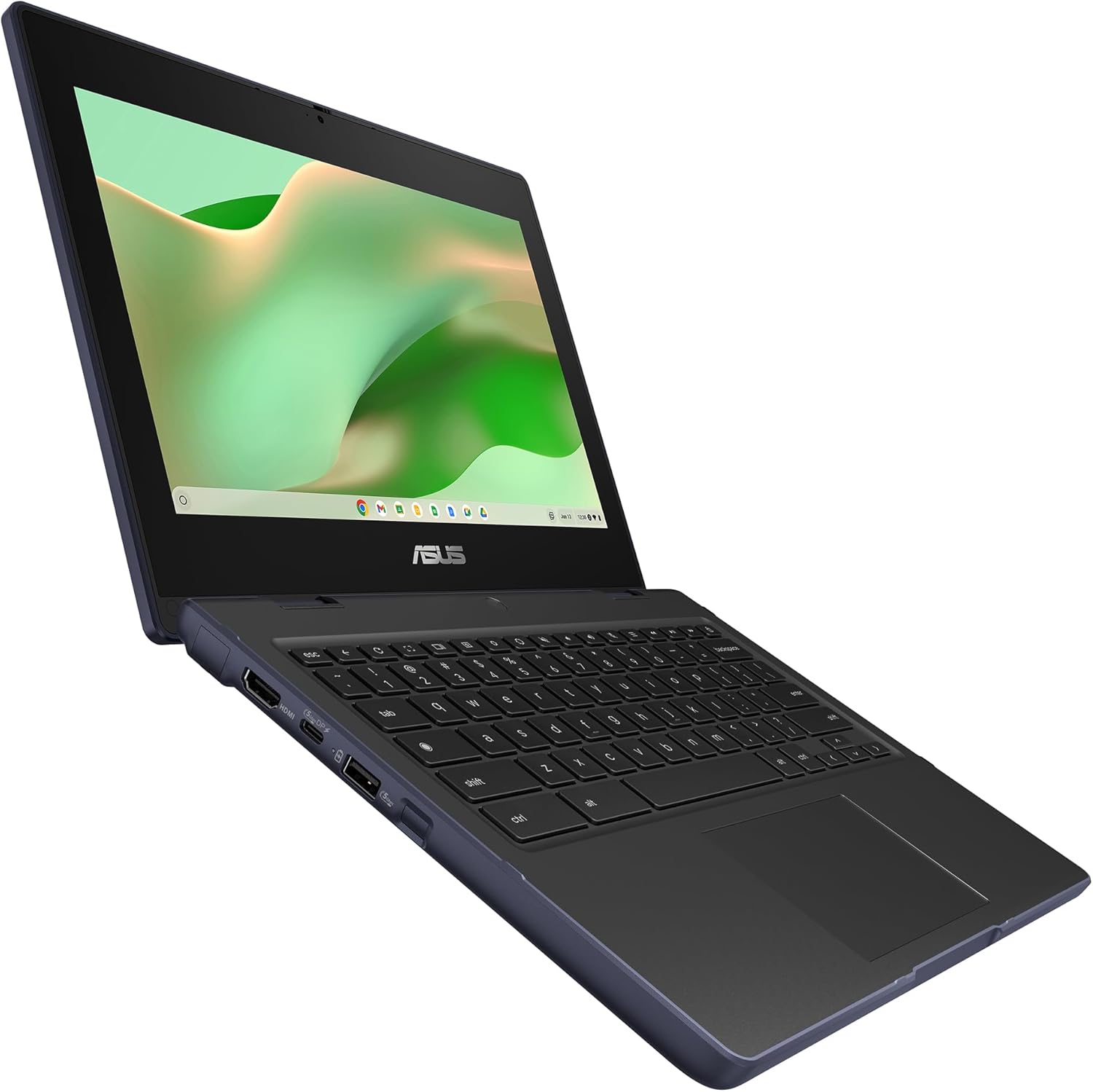
Price: $449.00 on Amazon.ca as of Nov. 4, 2026. Customer rating: 4.0 stars from 225 ratings.
This is the smallest and lightest pick here, aimed at younger students and anyone who wants a basic machine for browsing, Google Docs and video calls. It has an 11.6-inch HD (1366 x 768) anti-glare screen, a MediaTek Kompanio 520 processor, 4GB of memory and 64GB of eMMC storage. ASUS says it meets the MIL-STD 810H durability standard, has a spill-resistant keyboard and weighs 1.29 kg (2.84 lb). The listing claims up to 19 hours of battery life, which is the manufacturer’s figure and will drop with real use. Wi-Fi 6 and Bluetooth 5.3 are included.
Who it is for: elementary and middle-school students, or a second device for the couch. Who should skip it: anyone who wants a larger screen or plans to keep many browser tabs open, since 4GB of memory and a 1366 x 768 display are the main limits.
See the current price on Amazon.ca

ASUS Chromebook CX14 with 300-nit IPS display

Price: $499.00 on Amazon.ca as of Nov. 4, 2026. Customer rating: 4.4 stars from 23 ratings.
The CX14 costs about $50 more than the Gateway and swaps the TN panel for a 14-inch Full HD NanoEdge IPS display rated at 300 nits. It uses the same Intel Celeron N4500 processor with 4GB of memory and 64GB of eMMC storage. It weighs 1.39 kg (3.06 lb), meets the MIL-STD 810H standard and adds an HDMI 1.4 port alongside a USB-A and a USB-C port that supports display and power delivery. The listing also mentions a three-month Google AI Pro offer for eligible new Chromebooks, subject to Google’s terms.
Who it is for: students who will spend hours a day on the screen and want better viewing angles, plus an HDMI port for a monitor or projector. Who should skip it: shoppers who care most about review volume, since only 23 ratings were posted when we checked.
See the current price on Amazon.ca
Acer Chromebook Plus with AMD Ryzen 3 7320C

Price: $599.99 on Amazon.ca as of Nov. 4, 2026. Customer rating: 4.3 stars from 204 ratings.
This is the step-up pick for people who find a basic Chromebook slow. Acer lists a 14-inch WUXGA (1920 x 1200) IPS touchscreen, an AMD Ryzen 3 7320C processor, 8GB of LPDDR5X memory, 128GB of eMMC storage and Wi-Fi 6E. The taller 16:10 screen shows more of a document or web page, and Acer claims about 12 hours of battery life. The listing says it is sold as a Chromebook Plus, which is Google’s label for models that meet higher minimum specs for processor, memory and storage; Google explains the requirements on its Chromebook Plus page.
Who it is for: high-school and college students, remote workers and anyone who keeps many tabs open. Who should skip it: shoppers on a tight budget, since it costs roughly $150 more than the entry-level 14-inch models.
See the current price on Amazon.ca

ASUS Chromebook Plus CX14 with Intel Core 3 N355

Price: $649.00 on Amazon.ca as of Nov. 4, 2026. Customer rating: no customer ratings yet on the listing when we checked.
The newest and most capable model on the list has an Intel Core 3 N355 processor, 8GB of memory, a 256GB eMMC drive and a 14-inch Full HD anti-glare touchscreen. ASUS lists Wi-Fi 6, Bluetooth 5.4, one USB-A port, two USB-C ports that support display and power delivery, an HDMI 1.4 port and a weight of 1.44 kg (3.17 lb). The 256GB of storage is double that of the other Chromebooks here with 128GB or less, which matters for offline files.
Because it is new, it has no customer ratings yet, so we cannot report what owners think of it, and we are not recommending it over the Acer on that basis. Who it is for: buyers who want the most storage and ports and are comfortable being among the first reviewers. Who should skip it: anyone who wants proven feedback before spending $649.
See the current price on Amazon.ca
How to choose a Chromebook in Canada
Start with how long you want the machine to last. Google publishes an automatic update expiration date for each Chromebook model, and after that date the laptop stops getting security updates. Check the model number against Google’s auto update policy page before you buy, because a cheap model with an early end date costs more per year.
Memory and storage matter next. Four gigabytes of memory is fine for a single class and a handful of tabs, but eight gigabytes is the safer choice for high school, college or remote work. Storage is mostly for offline files and Android apps, since most work lives in the cloud.
For a Canadian household, look at the keyboard and the warranty. Amazon listings often do not say whether a model has a Canadian French (CSA) keyboard layout, so if you or your child need one for school, confirm it with the seller or a Canadian retailer before buying. Confirm that the warranty is honoured in Canada, which is stated on the manufacturer’s support page, and keep the receipt. Retailers often run Chromebook sales around back-to-school and Black Friday, which falls on Nov. 27 this year. Our guide to laptops for students compares Windows and Mac options, and our tablet guide covers cheaper alternatives. More buying guides are on our Amazon Picks Canada page.
Frequently asked questions
Are Chromebooks good enough for school in Canada?
For web-based schoolwork, Google Docs, video calls and streaming, yes. Check with your school first, because some programs need Windows or Mac software that does not run on ChromeOS.
What is a Chromebook Plus?
It is Google’s label for Chromebooks that meet higher minimum specs for processor, memory and storage. The Acer and ASUS Plus models in this guide carry the label on their listings; Google lists the requirements on its Chromebook Plus page.
How long will a Chromebook get updates?
It depends on the model. Google publishes an end date for each one on its auto update policy page, so look up the model number before you buy.
Can a Chromebook work offline?
Yes, for many tasks. You can set up Google Docs, Sheets and Slides for offline use ahead of time, and Android apps with offline modes also work.
How we chose these Chromebooks
We looked at Chromebooks sold and shipped by Amazon.ca on Nov. 4, 2026, ranked by customer ratings, and picked five across four price levels. Specs, prices and ratings come from the live Amazon.ca listings, and we have not tested the laptops ourselves. We left out a model whose listing was sold by a third-party seller instead of Amazon.ca. Customer ratings are shown as posted, and we have not quoted individual reviews.
If you find reporting like this useful, consider supporting Canada News Media, an independent Canadian newsroom with no corporate parent.
Follow Canada News Media
Get the day's top Canadian stories and our two daily 60-second news videos wherever you scroll.
X Threads Facebook Instagram LinkedIn TikTok YouTube Pinterest Reddit Substack Flipboard Newsletter RSS
Shop all our picks on Amazon.ca
Browse every list from our buying guides, plus best sellers, Christmas gifts and holiday outfits, in the Canada News Media storefront on Amazon.ca. We earn a commission on qualifying purchases.